War & Alliance
Troop Loading Tricks
Load troops with one setup and fight with another, for extra army size in Anubis Tower and Elite War and a proper defense in Star Mine.
On this page
Some events lock in parts of your setup at the moment you load troops. Load with one build and fight with another and you get the best of both. WAOTools has a Tips N Tricks section with more.
Anubis Tower: expansion and stats
Only works before you enter the event. In Anubis Tower, battle stats are not locked to what you wear when you first enter; only the Army Size Limit is. That's the opposite of the Elite War trick: load with all your army-size gear, then switch to your best damage setup.
- Set up before joining, for example:
- Beast passive skills: Force Expansion
- All artifacts with Army Size Limit or Expansion %
- All equipment and enhancements with Army Size Limit or Army Expansion %
- Army Size Expansion buff (25–30%)
- Grand Duke or Quartermaster (crown buffs)
- Join the Anubis Tower.
- Send / load your best Anubis Tower formation.
- Leave the Anubis Tower event.
- Change all artifacts, equipment and beast skills for more damage against monsters, for example:
- Beast passive skills: HP %, Attack %, anything
- All the artifacts that make your backline and frontline powerful
- All "damage boost while attacking" equipment and enhancements you want for the whole event
- HP / Attack % buffs, crown buffs, etc.
Enter the battle and enjoy your extra army size.

Elite War: stats and expansion
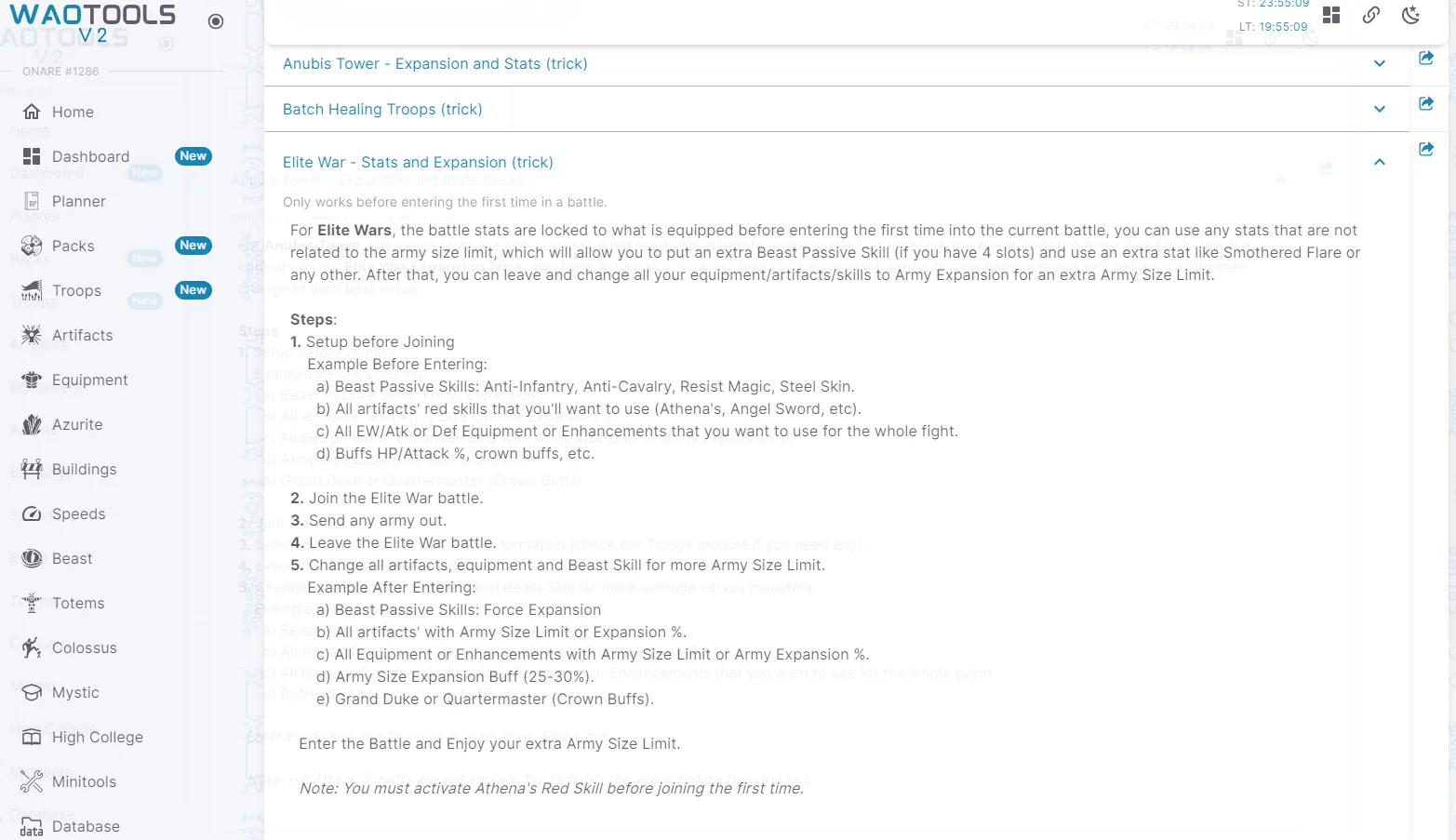
Only works before you enter the battle for the first time. In Elite War, battle stats are locked to what you have equipped when you first enter. So you can enter with stats unrelated to army size (like an extra beast passive if you have 4 slots, or Smothered Flare), then switch everything to Army Expansion for a bigger army.
- Set up before joining, for example:
- Beast passive skills: Anti-Infantry, Anti-Cavalry, Resist Magic, Steel Skin
- All the artifact red skills you want to use (Athena's, Angel Sword, etc.)
- All the EW attack or defense equipment and enhancements you want for the whole fight
- HP / Attack % buffs, crown buffs, etc.
- Join the Elite War battle.
- Send any army out.
- Leave the Elite War battle.
- Change all artifacts, equipment and beast skills for more army size, for example:
- Beast passive skills: Force Expansion
- All artifacts with Army Size Limit or Expansion %
- All equipment and enhancements with Army Size Limit or Army Expansion %
- Army Size Expansion buff (25–30%)
- Grand Duke or Quartermaster (crown buffs)
Enter the battle and enjoy your extra army size.
Star Mine: load your defense set
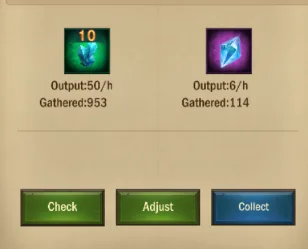
After you attack and take a goal in Star Mine, you'll be defending it. To make sure the troops sitting there use your defense set:
- Exit the menu and switch to your defense set.
- Go back in and tap the Adjust button in the middle.
The troops now pick up your defense set for the Star Mine defense.